Development Snapshots
Development snapshots are the fastest way to try new features that have been merged and validated in CI, without replacing your stable installed release.
Linux Flatpak nightly remote (recommended on Linux)
On Linux, the preferred way to track develop builds is the hosted Flatpak
nightly remote. Nightlies are published after successful CI runs on
develop (x86_64 and aarch64). No GitHub account is required, and
updates use the normal Flatpak workflow:
# Flathub is still required for the Freedesktop runtime
$ flatpak remote-add --if-not-exists flathub \
    https://flathub.org/repo/flathub.flatpakrepo

$ flatpak remote-add --if-not-exists supercell-wx-nightly \
    https://dpaulat.github.io/supercell-wx/supercell-wx-nightly.flatpakrepo

$ flatpak install supercell-wx-nightly net.supercellwx.app//nightly

$ flatpak update
Stable installs use the main remote
(https://dpaulat.github.io/supercell-wx/supercell-wx.flatpakrepo) with
default branch stable. See Initial Setup for
full Flatpak setup.
CI workflow artifacts
For other platforms, specific PR/feature branches, or one-off Flatpak bundles, download build artifacts from the CI workflow:
A GitHub account is required to download workflow artifacts. Prefer the
nightly Flatpak remote above when you only need the latest develop Linux
build.
Prerequisites
A GitHub account (required to download workflow artifacts)
Basic familiarity with selecting the branch and build you want
Important: Prefer Portable/Binary Artifacts
For development testing, use the platform binary artifact (for example,
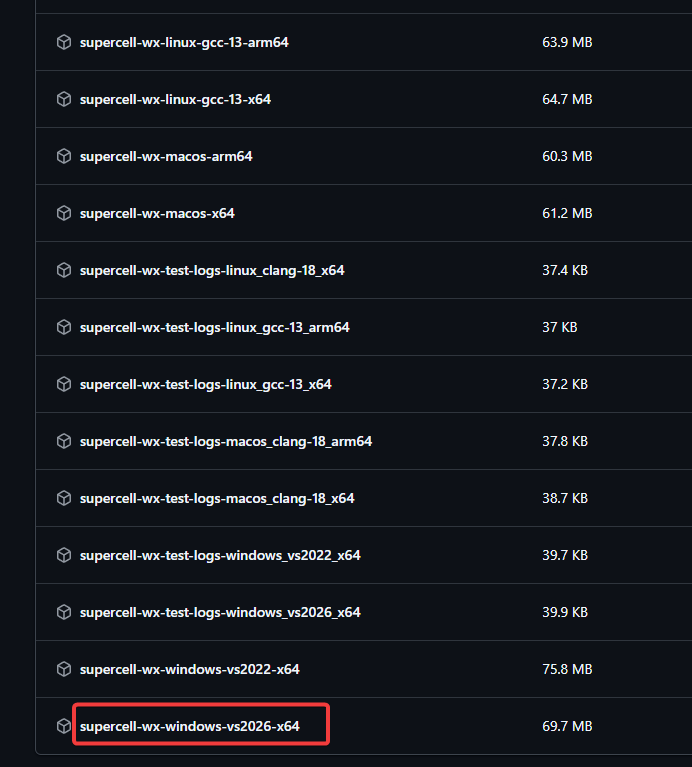
supercell-wx-windows-vs2026-x64) instead of the installer artifact.
The installer artifact (supercell-wx-installer-windows-vs2026-x64)
installs over your release version and can replace your stable install.
Linux Flatpak artifacts from CI remain useful for offline installs or testing
a build that is not yet (or never) published to the nightly remote (for
example, a feature branch). Prefer the nightly remote for routine develop
testing.
How to Download a Snapshot
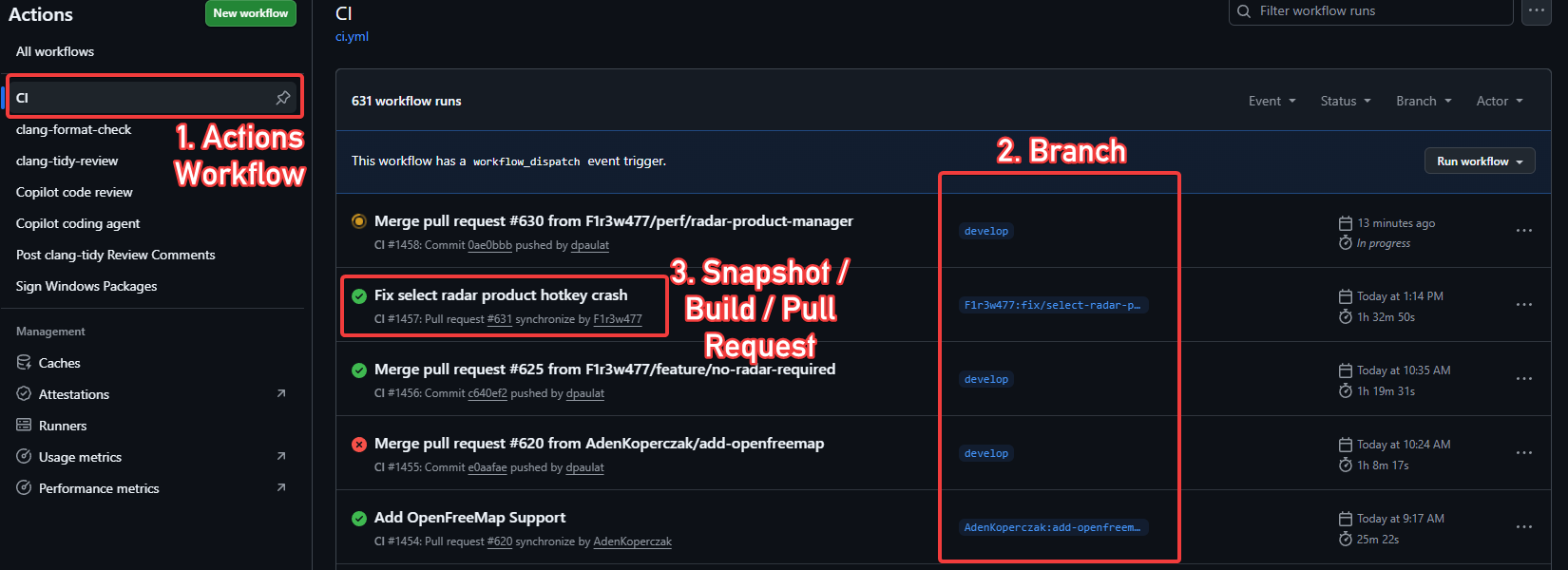
Open the CI workflow page:
https://github.com/dpaulat/supercell-wx/actions/workflows/ci.yml
Select the workflow run you want.
The
developbranch is generally the most stable development snapshot.Other branches may contain in-progress feature work.
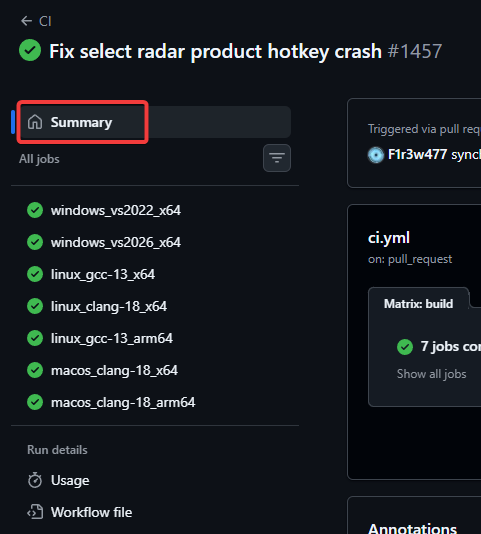
Open the selected run and choose Summary.
In the artifacts list, download the artifact that matches your OS/platform.
Extract the downloaded artifact and run Supercell Wx directly from the extracted files.
Windows Snapshot Usage (Portable)
If you download supercell-wx-windows-vs2026-x64:
Extract the archive to a folder of your choice.
Open the extracted
binfolder.Run
supercell-wx.exe.
This does not update your installed release version.
Artifact Name Reference
Package |
Artifact Name |
|---|---|
Linux x64 AppImage |
|
Linux x64 Binaries |
|
Linux x64 Flatpak |
|
Linux arm64 AppImage |
|
Linux arm64 Binaries |
|
Linux arm64 Flatpak |
|
macOS (Apple Silicon) |
|
macOS (Intel) |
|
Windows x64 Installer |
|
Windows x64 Binaries (recommended for snapshot testing) |
|
Troubleshooting
Artifact download option missing: Sign in to GitHub, then reload the run summary page.
Unsure which build to use: On Linux, use the nightly Flatpak remote for the latest
developbuild. Otherwise start withdevelopand pick the binary artifact for your platform.Need a specific PR or feature-branch Flatpak: Use the CI Flatpak artifact for that run; nightlies are published from
developonly.